Tuesday, July 9, 2013

Mobile emulator with PHP


Hi there,

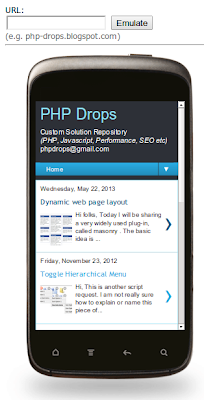
I will discuss about a device emulator which I had to make for one of my website. The basic idea is to allow the users to see how their websites would look like in a mobile device. The code snippet I am attaching here is default to IOS5, but you can make it dynamic and take it to a whole new level of craziness.

Lets see the output of the code first. This will give a better idea of what I am doing:


Download demo: device-emulate.zip

Explanation:

Wednesday, May 22, 2013

Dynamic web page layout


Hi folks,
Today I will be sharing a very widely used plug-in, called masonry. The basic idea is to create a web page, containing various HTML blocks spread throughout. But the catch is, the boxes are supposed to adjust themselves based on their content size. The layout of the web page, or rather the blocks will be dynamic as far as their positioning is concerned.

Following is an example of the same:


Friday, November 23, 2012

Toggle Hierarchical Menu

Hi,

This is another script  request. I am not really sure how to explain or name this piece of code, just adding a screen shot to sum up everything.


Source Code:

Wednesday, November 21, 2012

Auto increase content on scrolling

Hi,

I recently got script request for developing something which has become very common in most websites. Mostly seen in sites like Facebook. For any given container in a web page, which has a scroll bar, when the user reaches the end of the scroll height, the content of that container auto populates itself. This article covers this functionality.

Lets see few screen shots to better understand the concept:


1. Normal div with sample content and a scroll bar

2. User reaches the end of scroll

3. Immediately the content of the div increases


Download: autoScrollContent.zip

Explanation:

Wednesday, August 29, 2012

Quick Links - MD5 Converter, base64 encoder/decoder


Hi All,

This is a nifty little code, which is usefull when you quickly want to convert something into MD5, or base64 encode/decode any string. Generally, I have seen programmers and testers do that using online tools. But this will save your the time for searching for a website then converting it. With this code, just one simple step and you don't even have to go to a separate browser tab to find a MD5, base64 encode/decode of a string.

Download: shortcuts.html

Steps to follow:

1. Enable the bookmark toolbar of your browser.

Tuesday, August 14, 2012

Responsive Design


Hi,

Recently I came across a client request for a responsive website. Here is a small tutorial how you can achieve it.


Firstly, what is responsive design? It is basically a technique of web designing where the layout, design or content of the website adjusts itself based on the device from which it is being viewed. The device can be mobile phone, iPad or laptop.

The basic idea is very simple. When a webpage is opened in a device, the change that a web page goes through, as far as design is concerned, is the width of the browser. Responsive design allows designers to define different styles for different widths. That way the css changes dynamically based on the browser width, hence making it device independent.

Download Demo: responsive_design.zip
(Open the demo1.html in any browser and reduce the width of the browser to see the effect)


Following are 3 snapshots of the same page in different devices:

For Laptop/Desktop (Assumed width: 1500px):


For smaller devices such as iPad (Assumed width: 1000px):

Tuesday, June 12, 2012

UK Post codes to latitude - longitude

Hi folks,

Apart from the conventional Google API for retrieving the latitude and longitude of any location by:

http://maps.googleapis.com/maps/api/geocode/json?address=<Address>&sensor=false

The above works quit beautifully for me. But the only problem was with its daily query limit. That is, you cannot make more than one particular number of calls to the above API from a single IP address.

So I started researching on other available API's for generating lat/lon from a given post code/city/town. Since my requirement was just for UK, so the following API URL came in very handy to me:

Saturday, October 1, 2011

Document/Attachment Reader - Google


Hi,

In this post I will discuss about document reader I had to use in one of my project. The files that we upload, their contents can be easily viewed using this reader. This is a product of Google. This is how it looks like:


Code:

Implementation of the Google document reader is extremely simple. Here is what you need to acheive it.

Monday, September 26, 2011

Paypal - Add business logo to paypal check out page


Hi,

There can be scenarios where you need to show the business logo in the Paypal checkout page.

This is how it would look like:


Code

Well this can be easily achieved by adding the following hidden field in your paypal form:

Tuesday, August 30, 2011

Drupal - Simple captcha


Hi,


This article is about using custom captcha in Drupal. This one is a custom created module in Drupal. This is developed under Drupal 6.20 environment. I am sure if you get a feel of it you can modify it for other versions as well.

You can get the code from here.

This is how it would look like:


Code & Explanation:

After you have downloaded the module. Install it in your project. Once done that, all you have to do is to put the following lines of code in your page form:

Friday, August 26, 2011

Remove special characters - PHP


Hi,

I know there are a million ways to remove special characters but this is one of the better solutions which I came across over the internet. Here is the PHP function:

function just_clean($string)
{
// Replace other special chars
$specialCharacters = array(
‘#’ => ”,
‘$’ => ”,
‘%’ => ”,
‘&’ => ”,
‘@’ => ”,
‘.’ => ”,
‘€’ => ”,
‘+’ => ”,
‘=’ => ”,
‘§’ => ”,
‘\\’ => ”,
‘/’ => ”,
);
while (list($character, $replacement) = each($specialCharacters)) {
$string = str_replace($character, '-' . $replacement . '-', $string);
}
$string = strtr($string,
"ÀÁÂÃÄÅ? áâãäåÒÓÔÕÖØòóôõöøÈÉÊËèéêëÇçÌÍÎÏìíîïÙÚÛÜùúûüÿÑñ",
"AAAAAAaaaaaaOOOOOOooooooEEEEeeeeCcIIIIiiiiUUUUuuuuyNn"
);
// Remove all remaining other unknown characters
$string = preg_replace('/[^a-zA-Z0-9\-]/', ' ', $string);
$string = preg_replace('/^[\-]+/', '', $string);
$string = preg_replace('/[\-]+$/', '', $string);
$string = preg_replace('/[\-]{2,}/', ' ', $string);
return $string;
}

Best of luck

Thursday, August 11, 2011

Reading disabled HTML fields on page submit


Hi folks,

This probably is not a very big solution, but might be useful for newbies. To prevent users from entering data in any textbox or dropdown, you can either use "readonly" or "disabled". Readonly works fine, apart from the fact that the interface of the fields won't look like they are uneditable. Apart from that if it works for you, then its fine.

For "disabled"  option, not only the entire fields becomes uneditable, but also the interface has the feel that it is disabled. The biggest problem with disabled fields is if the form is submitted, the disabled fields are not submitted.


If you face a scenario where you absolutely have to use disabled fields and yet post the values in form submit, then a quick fix would be

Friday, July 8, 2011

Changing Drupal(6.2) theme on the fly

Hi,

This probably will be among my shortest post. The most commonly used module in Drupal for handling theme's is the ThemeKey module. But if you face a requirement where you have to change the theme of the page on the fly, then this post will be helpful.

To change the theme on the fly, you just need to write two lines of code i.e.

global $custom_theme;
$custom_theme="my_theme_name";

That's it. That is all that you have to do to change the page theme in Drupal.


Explanation:

Thursday, June 30, 2011

Google Map with custom draggable pointer


Hi,

I have been planning to upload this from a long time, but made it finally now. This possibly is one of my favorite codes to make life easy for programmers. In this, by using a single function you can perform various tasks in a google map. Tasks such as multiple pointers in one map, change the look and feel of pointers, drag and drop pointers and fetch their new coordinates etc.

I have compiled all this functionality in one function in a .php file, "gmap.php". With very slight alterations you can achieve any of the above functionality.

Before going to the details of how to use the function, here is how my web page looks like:


In my application, what I have done is, I have compiled all the various possibilities of my code in 1 web page for better understanding. Now before I start explaining it download the source code from here.

Code & Explanation:

First of you need to include the "gmap.php" file in your PHP page as:
<?php @include("gmap.php"); ?>

Now I am assuming you already have the latitude and longitude of the various points. If you just have the address without the latitude and longitude, check out my article of location to latitude/longitude conversion. The function that I am talking about takes just three parameters:

Tuesday, June 21, 2011

Save image in database(MySQL & Blob datatype)


Hi,

This is rather interesting topic, but is among the simpler one's. In this I will show how to save an image in its actual format in the database as data and fetching it as an image to the web page. First of all create a database table and assign "blob" data type to the fields that will hold the image. Here is the schema for the database table that I am using:

CREATE TABLE `employees` (
`id` INT(10) NOT NULL AUTO_INCREMENT,
`empname` VARCHAR(50) NULL DEFAULT NULL COLLATE 'latin1_general_ci',
`profile_pic` LONGBLOB NULL,
`ext` VARCHAR(5) NULL DEFAULT NULL COLLATE 'latin1_general_ci',
PRIMARY KEY (`id`)
)

[You can find the entire source code here]

Now that my table is ready lets move on to the HTML. It is a pretty simple one just a form with couple of fields as follows:

<form method="post" action="" enctype="multipart/form-data">
Enter Name:<br/><input type="text" name="emp_name" /><br/><br/>
Profile Pic:
<input type="file" name="pic" /><br/><br/>
<input type="submit" value="Save Image" />
</form>

The page looks something like:


After saving the data, this is what I get:


Code and Explanation:

When the form is submitted here is what I have done:


$content=file_get_contents($_FILES['pic']['tmp_name']);
$content=mysql_escape_string($content);

@list(, , $imtype, ) = getimagesize($_FILES['pic']['tmp_name']);

if ($imtype == 3){
$ext="png";
}elseif ($imtype == 2){
$ext="jpeg";
}elseif ($imtype == 1){
$ext="gif";
}
Tuesday, June 14, 2011

Google Rich Snippet


Hi,

In this I will be discussing about rich snippets, what they are and how can they be useful in SEO. One of my colleague was working on the same, and decided to share with me so I am posting it in. Rich snippets are simply few predefined attributes in HTML tags, which are treated in a special way by Google. Have a look at the following. This will make it simpler to understand what they are:


The above is screen shot from Google search results when I search by "yelp" keyword. In the above we see a star rating and total reviews received for that App. These information are not present in Google search results by default. To make this happen we need to use rich snippets. Rich snippets can be used to representing the following:

1. Reviews (as given above)
2. People
3. Product
4. Business
5. Recipe
6. Events

The rich snippets can be implemented in 3 ways:

1. Microdata
2. Microformat
3. RDF

Use(Code) & Explanation:

Tuesday, June 7, 2011

Simple javascript tooltip or help text


Hi,

In this post I will discuss of a custom made tooltip which you can implement in your HTML, without breaking a sweat. As usual, in this also, I am using jQuery as my Javascript framework. I have used the basic concept of generating lightbox to generate the tooltips. So lets see how it looks in the front end:

Before we go into the explanation you can download the source code from here.

Code and Explanation:

First let us see the basic HTML structure as:

<div style="float:left;margin-right:5px">This is text 1 </div><div class="tooltip">This is tooltip 1...</div><br/>
<div style="float:left;margin-right:5px">This is text 2 </div><div class="tooltip">This is tooltip 2...</div><br/>
<div style="float:left;margin-right:5px">This is text 3 </div><div class="tooltip">This is tooltip 3...</div><br/>
<div style="float:left;margin-right:5px">This is text 4 </div><div class="tooltip">This is tooltip 4...</div><br/>

Tuesday, May 31, 2011

Post in multiple Facebook fan page in one go


Hi,

This is yet another post related to Facebook API. In this I will be demonstrating how to make a wall post in multiple Facebook page of which you are an admin or a fan. A similar functionality I had posted in one of my previous post regarding posting in friends wall. In this also the basic idea is same. The main factor here is to generate the Facebook page list for the logged in user.

First we need yo understand the FQL(Facebook Query Language). Here we will be working with two tables, "page" and "page_admin". The page table is the master table and page_admin holds the mapping between Facebook user and the pages. Here is the query that I am using to fetch the list of pages:

$query="select page_id, name, pic_small, type from page where type<>'APPLICATION' and page_id in (select page_id from page_admin where uid =" . $uid . ")";

Here $uid is the Facebook user id of the currently logged in user. Also I have added a type<>'APPLICATION' in the where clause, so that I only get pages and not my applications. In Facebook, when you create a new App, it is also treated as a page. So I had to give the above validation.

Here is how the page looks:


Explanation:

Social sharing (Facebook - Twitter - Digg - Delicious)

Hi,

Facebook Share:

For sharing a page in Facebook, it provides a specific URL to share a particular page in facebook. The parameters that are passed are basically just an URL. What facebook does is, it parses the URL and fetches the meta title and description. Now these title and description are added as the title and description of the new Facebook post. For the image of the post, Facebook selects a random image from the page that is being shared. So when you are sharing a page, make sure it has proper title and description.

Here is an example of a sharing a particular page in Facebook:

<a href="http://www.facebook.com/sharer.php?u=<?php echo urlencode("URL_TO_SHARE"); ?>&t=TITLE_OF_POST">Share with Facebook</a>

Digg Share

Similar to Facebook, Digg also provides an URL to share a particular page. The URL of that page needs to be passed as parameter to Digg.

e.g.
<a href="http://digg.com/submit?url=<?php echo urlencode("URL_TO_SHARE"); ?>&title=TITLE_OF_POST">Digg</a>

Share Delicious

Saturday, May 21, 2011

Drupal force login/logout

Hi,

This is not a very regular scenario, but I had got one, where I had to make a user auto login when they are coming to my website via a newsletter, that I had sent to the website members. The flow is, first I create various email newsletters and distribute it among my website users by mailing them. The newsletters would contain a link back to my website. Now when the users click that link, they come back to my website. They have to enter few basic details such as the password, gender, date of birth etc. When they click next they get logged in to the website.

I am using Drupal 6.20 for this development. The users that I am talking about are basically drupal users as well, so I need to login them in Drupal framework as well. It is actually simpler than I had thought. In Drupal whenever a user logs in it creates a global variable, "$user", instead of session variables to store the details of the logged in users. So all I had to do is to overwrite that variable with the user details who needs to be logged in.

This is the code that I had used:

$user_details=db_fetch_array(db_query("select * from {users} where id=<USER_ID>"));


$user_details->hostname=$_SERVER['REMOTE_ADDR'];
$user_details->timestamp=time();
$user_details->roles=array('4'=>'client');


global $user;
$user=$user_details;

Explanation:

The idea is very simple. You just need to overwrite the $user variable with that in the database. So I simply fetch all the details of the user and put it in the $user variable. But just by doing this will not do the job, I also need to assign few extra variables such as the hostname, timestamp and roles. Hostname and timestamp are pretty much easy and self explanatory. What is vital is the roles variable given as: